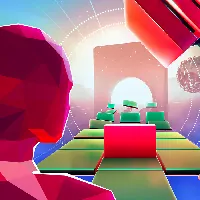
















































About Glitch Dash
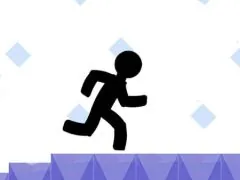
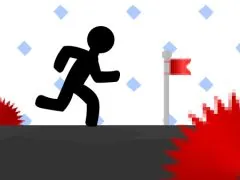
Glitch Dash is a fast-paced obstacle runner and platforming game requiring split-second timing, rhythm, and agile movement. Dodge deadly traps, maintain maximum forward velocity, and master challenging level layouts. Play Glitch Dash unblocked for free on school Chromebooks and desktop.
Effortless Access: How to Play Games on UBGWTF
Embarking on your gaming adventure with us is designed to be as effortless as possible. We believe that the joy of gaming should begin the moment you decide to play.
Should you encounter any difficulties in locating a particular game through the primary browsing or search functions, we provide an alternative navigation path. You can manually explore our comprehensive game directory by navigating through the `/game/` section of our site. This offers a structured way to browse through our entire collection and select your desired title directly.
General Game Controls for Seamless Gameplay
While each game possesses its unique control scheme tailored to its specific mechanics and genre, we offer a general guide to the most common control inputs you will encounter across our extensive library. Familiarizing yourself with these fundamental controls will provide a solid foundation for your gaming sessions:
It is important to note that many of our games will provide a visual representation of their specific control schemes. This information is often displayed prominently on the loading screen or within the main menu of the game itself. We highly recommend paying attention to these on-screen prompts before you commence playing, as they will offer the most accurate and game-specific guidance for optimal control.
Discovering Your Next Favorite: Popular Games on UBGWTF
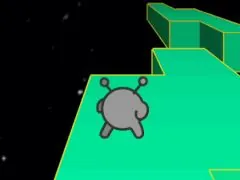
Our platform boasts an impressive array of titles, but some games have consistently risen to the top in terms of player engagement and popularity. These games represent a diverse range of experiences that have resonated deeply with our community:
Maximizing Your Gaming Experience: Essential Tips
To ensure you derive the absolute most from your time spent on our platform, we recommend incorporating a few simple practices into your routine:
We are constantly expanding our collection and refining our platform to provide the best possible unblocked gaming experience. Our commitment is to offer a diverse, accessible, and enjoyable environment where players can discover and play the games they love without any restrictions.
How to Play Glitch Dash & Controls Guide
Mastering Glitch Dash requires fast reflexes and precise control inputs. Below is the verified control reference for desktop and mobile players:
| Control Input | Action / Function |
|---|---|
Arrow Keys / WASD | Move, steer, and duck under barriers |
Spacebar / Up Arrow | Jump, double jump, or grapple hook |
Mouse Click / Touch | Interact, swing, or boost momentum |
Tips & Strategies to Win in Glitch Dash
- Learn the Momentum: Take time in early rounds to understand movement physics and inertia in Glitch Dash. Smooth, measured inputs beat erratic button mashing.
- Anticipate Upcoming Hazards: Keep your eyes focused slightly ahead of your character or vehicle to react early to sudden traps, turns, or enemy encounters.
- Practice Consistent Timing: Many challenges in Glitch Dash rely on rhythmic timing. Replaying tricky stages builds muscle memory for flawless high-score runs.
- Optimize Display Settings: Use the fullscreen toggle button below the game frame to eliminate desktop distractions and maximize your reaction speed.
Frequently Asked Questions About Glitch Dash
Can I play Glitch Dash unblocked at school?
Yes, Glitch Dash runs directly through HTML5/WebGL in modern web browsers (Chrome, Edge, Firefox, Safari) without requiring local admin rights, APK downloads, or third-party plugins.
Does Glitch Dash work on school Chromebooks?
Yes, the game is lightweight and fully optimized for ChromeOS and budget laptops with fast asset streaming and low memory overhead.
How do I play in fullscreen mode?
Simply click the expand (fullscreen) icon located directly beneath the game canvas on this page to expand the view to 100% of your screen.