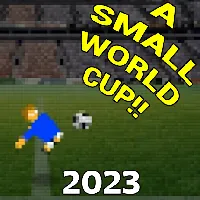












About A Small World Cup
A Small World Cup is a competitive sports game featuring hilarious ragdoll physics, fast-paced matches, and instant pick-up-and-play mechanics. Play solo against challenging AI or compete with friends in thrilling head-to-head multiplayer action. Enjoy A Small World Cup unblocked at school or work on any modern browser.
Exploring the UBGWTF Platform: Features and Functionality
UBGWTF distinguishes itself through its commitment to providing a seamless and ad-free gaming experience. We have curated a massive library of unblocked games, spanning various genres to cater to a wide range of player preferences. The platform’s intuitive design ensures effortless navigation, allowing users to quickly locate and launch their desired games. No downloads are necessary, and compatibility extends to various devices, including PCs, Chromebooks, and mobile devices, enhancing accessibility and convenience. This makes it the ideal platform for casual gaming.
The focus on no ads is a key element of UBGWTF’s appeal. We understand the frustration of intrusive advertising interrupting gameplay, so we have built a platform that prioritizes a clean and uninterrupted gaming experience. This commitment to a smooth, enjoyable gaming session is central to our mission.
Navigating the UBGWTF Game Library: Finding Your Next Favorite Game
Finding the perfect game within UBGWTF's expansive library is made easy through several features. The platform provides a search function allowing users to input specific game titles or keywords to pinpoint specific games. Additionally, browsing options are available for those who prefer to explore the available titles by category or popularity. The website regularly updates its selection, introducing new games to keep the experience fresh and exciting. The intuitive interface enhances the overall browsing experience, allowing users to locate their ideal games efficiently.
For those seeking assistance, comprehensive guides are available on the platform to help users navigate and access the available games. This ensures every user can swiftly find and start playing their chosen game, regardless of technical expertise or familiarity with the website. We believe providing efficient and accessible navigation is key to creating a satisfying user experience.
Understanding Game Controls on UBGWTF
While each game on UBGWTF has its own unique control scheme, many share common elements. Generally, W, A, S, and D keys are frequently used for character movement. The arrow keys often serve as an alternative for movement, and the spacebar typically initiates jumps, selections, or interactions. The mouse is commonly used for aiming, shooting, or navigating menus. Shift and Ctrl keys often trigger sprints or special moves, depending on the specific game. Finally, the Esc or P key is frequently utilized to pause the game.
It's always advisable to check the game’s loading screen or main menu for specific control instructions. Many games clearly display their control schemes before the game begins, ensuring players understand how to operate their chosen game without frustration or confusion. We strive to make the gaming experience as intuitive as possible. We encourage players to explore game-specific instructions to make the most of their gameplay.
OvO: A Thrilling Parkour Adventure
OvO is a standout parkour-style platformer celebrated for its fluid controls and engaging speed-run challenges. The game demands precision and timing, rewarding players with a sense of accomplishment as they navigate increasingly complex obstacles. Its smooth and responsive controls contribute significantly to its addictive nature, making it a popular choice among fans of this genre. The game's visual appeal and consistently challenging levels ensure a consistently engaging experience.
How to Play A Small World Cup & Controls Guide
Mastering A Small World Cup requires fast reflexes and precise control inputs. Below is the verified control reference for desktop and mobile players:
| Control Input | Action / Function |
|---|---|
W / Up Arrow | Jump, shoot, or tackle |
A / D or Left / Right | Move player across the court or pitch |
Spacebar | Special action / Power shot |
2-Player Support | Player 1 uses WASD; Player 2 uses Arrow Keys |
Tips & Strategies to Win in A Small World Cup
- Learn the Momentum: Take time in early rounds to understand movement physics and inertia in A Small World Cup. Smooth, measured inputs beat erratic button mashing.
- Anticipate Upcoming Hazards: Keep your eyes focused slightly ahead of your character or vehicle to react early to sudden traps, turns, or enemy encounters.
- Practice Consistent Timing: Many challenges in A Small World Cup rely on rhythmic timing. Replaying tricky stages builds muscle memory for flawless high-score runs.
- Optimize Display Settings: Use the fullscreen toggle button below the game frame to eliminate desktop distractions and maximize your reaction speed.
Frequently Asked Questions About A Small World Cup
Can I play A Small World Cup unblocked at school?
Yes, A Small World Cup runs directly through HTML5/WebGL in modern web browsers (Chrome, Edge, Firefox, Safari) without requiring local admin rights, APK downloads, or third-party plugins.
Does A Small World Cup work on school Chromebooks?
Yes, the game is lightweight and fully optimized for ChromeOS and budget laptops with fast asset streaming and low memory overhead.
How do I play in fullscreen mode?
Simply click the expand (fullscreen) icon located directly beneath the game canvas on this page to expand the view to 100% of your screen.