
















About Run 2
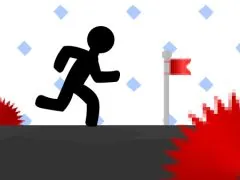
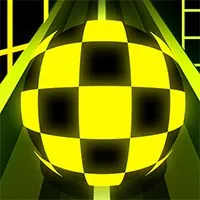
Run 2 is a fast-paced obstacle runner and platforming game requiring split-second timing, rhythm, and agile movement. Dodge deadly traps, maintain maximum forward velocity, and master challenging level layouts. Play Run 2 unblocked for free on school Chromebooks and desktop.
The Dimensional Leap: Introducing 3D to the Endless Runner
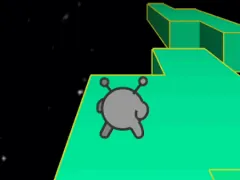
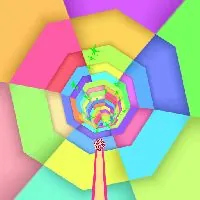
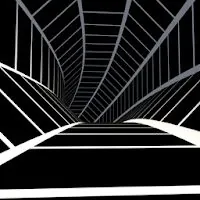
The evolution of the gaming landscape sees familiar genres reimagined with innovative twists. Run 2 expertly navigates this evolutionary path by transplanting the classic endless runner concept into a fully realized three-dimensional space. This departure from traditional 2D gameplay introduces a new layer of complexity and immersion. Players are no longer confined to a flat plane; instead, they are thrust into an environment where depth, perspective, and spatial awareness become critical elements of survival. The core objective remains the same: propel your character forward, avoiding obstacles and the perilous void that surrounds the game world. However, the addition of the third dimension transforms a straightforward task into a dynamic challenge that tests both reflexes and cognitive processing. We believe this dimensional shift is a significant factor in the enduring appeal and replayability of Run 2.
Navigating the Void: Core Gameplay Mechanics of Run 2
At its heart, Run 2 is a game of precision, timing, and rapid adaptation. Players are tasked with guiding a swift character through an ever-extending series of platforms suspended precariously in a vast, empty void. The fundamental control mechanism involves making your character jump across these platforms. However, the true genius of Run 2 lies in its introduction of a gravity switching mechanic. At opportune moments, players can alter the direction of gravity, causing their character to fall upwards or sideways, effectively allowing them to traverse platforms that would otherwise be unreachable or to escape imminent danger. Mastering this gravity switch is not merely an option; it is an absolute necessity for progression. The timing and execution of these jumps and gravity shifts are what separate novice players from those who can truly conquer the game's increasingly intricate challenges. We have observed that players who develop a keen sense for the rhythm of the game and the subtle visual cues indicating an opportune moment to switch gravity are the ones who achieve the greatest success.
Escalating Challenges: Difficulty Progression in Run 2
One of the hallmarks of a truly compelling game is its ability to maintain engagement through escalating difficulty. Run 2 excels in this regard, systematically increasing the complexity of its level design as players progress. Each subsequent level presents a more daunting arrangement of platforms, demanding quicker reflexes and more precise timing than the last. What begins as relatively straightforward jumps and gravity switches evolves into intricate sequences requiring players to chain multiple actions together seamlessly. The platforms themselves may become smaller, more irregularly spaced, or appear and disappear, forcing players to constantly re-evaluate their path and anticipate upcoming challenges. This gradual but relentless increase in difficulty ensures that players remain on the edge of their seats, pushing their abilities to new limits with every attempt. We find that this well-paced difficulty curve is a key element that keeps players coming back, eager to overcome the next obstacle and prove their mastery of the game.
Character Control and Responsiveness in Run 2
The success of any platformer, especially one that relies on split-second decisions, hinges on the responsiveness and intuitiveness of its controls. In Run 2, we have found the character control to be exceptionally well-tuned. The swiftness of the character means that even small inputs have a significant impact on movement. This responsiveness is crucial for executing the precise jumps and gravity switches required to navigate the challenging environments. Players need to feel a direct and immediate connection between their actions and the character's response on screen. When a jump is initiated, it must feel accurate, and when the gravity is switched, the transition should be smooth and predictable. This level of control allows players to develop muscle memory and hone their skills, turning what might initially seem like chaotic gameplay into a fluid and controlled dance across the void. We believe this tight control scheme is fundamental to the addictive nature of Run 2.
How to Play Run 2 & Controls Guide
Mastering Run 2 requires fast reflexes and precise control inputs. Below is the verified control reference for desktop and mobile players:
| Control Input | Action / Function |
|---|---|
Arrow Keys / WASD | Move, steer, and duck under barriers |
Spacebar / Up Arrow | Jump, double jump, or grapple hook |
Mouse Click / Touch | Interact, swing, or boost momentum |
Tips & Strategies to Win in Run 2
- Learn the Momentum: Take time in early rounds to understand movement physics and inertia in Run 2. Smooth, measured inputs beat erratic button mashing.
- Anticipate Upcoming Hazards: Keep your eyes focused slightly ahead of your character or vehicle to react early to sudden traps, turns, or enemy encounters.
- Practice Consistent Timing: Many challenges in Run 2 rely on rhythmic timing. Replaying tricky stages builds muscle memory for flawless high-score runs.
- Optimize Display Settings: Use the fullscreen toggle button below the game frame to eliminate desktop distractions and maximize your reaction speed.
Frequently Asked Questions About Run 2
Can I play Run 2 unblocked at school?
Yes, Run 2 runs directly through HTML5/WebGL in modern web browsers (Chrome, Edge, Firefox, Safari) without requiring local admin rights, APK downloads, or third-party plugins.
Does Run 2 work on school Chromebooks?
Yes, the game is lightweight and fully optimized for ChromeOS and budget laptops with fast asset streaming and low memory overhead.
How do I play in fullscreen mode?
Simply click the expand (fullscreen) icon located directly beneath the game canvas on this page to expand the view to 100% of your screen.