





















About Parking Fury 3D: Beach City
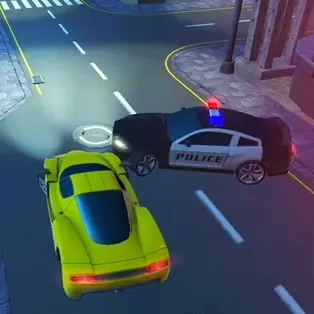
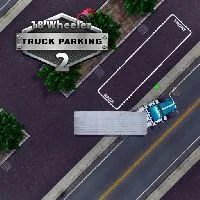
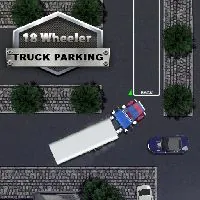
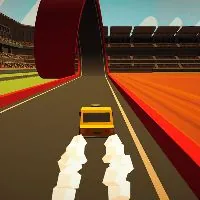
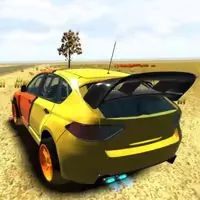
Parking Fury 3D: Beach City is a high-octane physics-based driving game that challenges players to balance speed, vehicle momentum, and obstacle navigation across challenging tracks. Your objective is to reach the checkered flag without flipping or crashing your ride. Play Parking Fury 3D: Beach City unblocked online for free on Chromebook, PC, and mobile in full WebGL 60FPS performance.
Discover the Thrill of Parking Fury 3D: Beach City
Immerse yourself in the vibrant and challenging world of Parking Fury 3D: Beach City. This exhilarating title invites players to test their precision, patience, and driving skills in a picturesque coastal environment. As you navigate through intricate levels, you will encounter a variety of vehicles, each requiring a unique approach to master. The game is renowned for its realistic physics and detailed graphics, creating an engaging atmosphere that truly captures the essence of beach city life. Prepare to experience the adrenaline rush as you maneuver through tight spots, avoid obstacles, and park your vehicle perfectly within designated zones. We understand the desire for accessible entertainment, which is why Parking Fury 3D: Beach City is readily available on our unblocked games platform, free from the interruptions that plague other gaming sites.
Mastering the Art of Parking in Beach City
The core gameplay of Parking Fury 3D: Beach City revolves around a series of increasingly difficult parking challenges. Players are tasked with driving a selection of vehicles, ranging from compact cars to larger trucks, and precisely placing them into marked parking spaces. Each level presents a unique layout, introducing new obstacles and spatial puzzles that demand careful consideration and skillful execution. Success in Parking Fury 3D: Beach City hinges on your ability to control the vehicle's acceleration, braking, and steering with finesse. Mastering these controls is paramount, especially when dealing with narrow pathways, sharp turns, and the ever-present threat of time limits. The visual design of the beach city setting adds a layer of enjoyment, with sunny skies, sandy shores, and charming architecture providing a delightful backdrop to the demanding parking scenarios.
Play Anywhere, On Any Device
The versatility of ubgwtf.gitlab.io extends to its compatibility across various devices. Our games are designed to function seamlessly on PCs, Chromebooks, and even mobile devices. This means you are no longer confined to a single gaming setup. Whether you are at your desk, on your laptop, or using your tablet, you can access and enjoy our entire library of games. This cross-platform compatibility ensures that the fun never has to stop, regardless of your location or the device you have available. Our platform is optimized for speed and performance, guaranteeing a smooth and responsive gaming experience on all supported devices.
Simple and Instant Gameplay
The user interface at ubgwtf.gitlab.io is designed with simplicity in mind. We believe that getting started should be as easy as possible. Our process is straightforward: click, load, and play. There are no complex procedures, no lengthy sign-up forms, and absolutely no downloads required. Once you select a game, it loads quickly, allowing you to jump straight into the action. This ease of access is a cornerstone of our service, making it effortless for anyone to enjoy their favorite games without any technical hurdles. For those who might have difficulty finding a specific title, we offer a convenient directory structure where you can manually navigate through our `/game/` section and select your desired game.
How to Play Parking Fury 3D: Beach City & Controls Guide
Mastering Parking Fury 3D: Beach City requires fast reflexes and precise control inputs. Below is the verified control reference for desktop and mobile players:
| Control Input | Action / Function |
|---|---|
W / Up Arrow | Accelerate forward / Throttle |
S / Down Arrow | Brake / Reverse |
A / D or Left / Right | Steer left / right and balance in air |
Spacebar | Handbrake / Drift |
R | Quick reset vehicle position |
Tips & Strategies to Win in Parking Fury 3D: Beach City
- Learn the Momentum: Take time in early rounds to understand movement physics and inertia in Parking Fury 3D: Beach City. Smooth, measured inputs beat erratic button mashing.
- Anticipate Upcoming Hazards: Keep your eyes focused slightly ahead of your character or vehicle to react early to sudden traps, turns, or enemy encounters.
- Practice Consistent Timing: Many challenges in Parking Fury 3D: Beach City rely on rhythmic timing. Replaying tricky stages builds muscle memory for flawless high-score runs.
- Optimize Display Settings: Use the fullscreen toggle button below the game frame to eliminate desktop distractions and maximize your reaction speed.
Frequently Asked Questions About Parking Fury 3D: Beach City
Can I play Parking Fury 3D: Beach City unblocked at school?
Yes, Parking Fury 3D: Beach City runs directly through HTML5/WebGL in modern web browsers (Chrome, Edge, Firefox, Safari) without requiring local admin rights, APK downloads, or third-party plugins.
Does Parking Fury 3D: Beach City work on school Chromebooks?
Yes, the game is lightweight and fully optimized for ChromeOS and budget laptops with fast asset streaming and low memory overhead.
How do I play in fullscreen mode?
Simply click the expand (fullscreen) icon located directly beneath the game canvas on this page to expand the view to 100% of your screen.