



































About 2048
2048 is an engaging brain-teaser and logic game designed to test your problem-solving skills, pattern recognition, and forward planning. Clear the board, unlock achievements, and maximize your score across progressively difficult stages. Play 2048 unblocked online with smooth interactive controls.
How to Play 2048 on Unblocked Games WTF
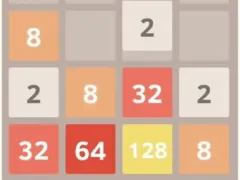
The gameplay of 2048 is remarkably intuitive. The game is played on a 4x4 grid, initially populated with a few tiles showing the number 2 or 4. The goal is to merge these tiles by sliding them up, down, left, or right. When two tiles with the same number collide, they merge into a single tile with the value of the sum of the two original tiles. For example, two '2' tiles will combine to form a '4' tile. The game continues until a 2048 tile is created, or until there are no more possible moves to be made.
Each move will shift all tiles in the selected direction. If two tiles of equal value collide during this movement, they will merge. With each move, a new tile (either a '2' or a '4') will randomly appear on an empty space of the grid. The challenge lies in strategically planning your moves to maximize tile merging and prevent the grid from filling up. The game ends when the grid is full and there are no adjacent tiles with the same value, meaning no further merges can be made.
Strategic Tips for Mastering 2048
While the rules of 2048 are simple, mastering the game requires strategic thinking and planning. Here are some tips to help you improve your game and reach the elusive 2048 tile:
Why Play 2048 on Unblocked Games WTF?
Unblocked Games WTF is dedicated to providing a seamless and enjoyable gaming experience. Our version of 2048 offers several advantages:
The Enduring Appeal of 2048
Despite its simplicity, 2048 has captured the attention of players worldwide. Its appeal lies in its perfect blend of luck and skill. While the initial tile placement is random, strategic decision-making is crucial for success. The game offers a constant challenge, encouraging players to experiment with different strategies and improve their scores. The satisfying feeling of merging tiles and progressing towards the 2048 goal keeps players coming back for more.
Furthermore, 2048 provides a valuable mental workout. The game requires players to think logically, plan ahead, and adapt to changing circumstances. It's a great way to sharpen your cognitive skills and improve your problem-solving abilities. Whether you're a casual gamer or a seasoned strategist, 2048 offers a rewarding and engaging experience.
How to Play 2048 & Controls Guide
Mastering 2048 requires fast reflexes and precise control inputs. Below is the verified control reference for desktop and mobile players:
| Control Input | Action / Function |
|---|---|
Left Mouse / Touch | Select, drag, and place tiles or items |
Arrow Keys / Swipe | Shift grid items or slide tiles |
R | Restart current puzzle level |
Z / U | Undo previous move (where supported) |
Tips & Strategies to Win in 2048
- Learn the Momentum: Take time in early rounds to understand movement physics and inertia in 2048. Smooth, measured inputs beat erratic button mashing.
- Anticipate Upcoming Hazards: Keep your eyes focused slightly ahead of your character or vehicle to react early to sudden traps, turns, or enemy encounters.
- Practice Consistent Timing: Many challenges in 2048 rely on rhythmic timing. Replaying tricky stages builds muscle memory for flawless high-score runs.
- Optimize Display Settings: Use the fullscreen toggle button below the game frame to eliminate desktop distractions and maximize your reaction speed.
Frequently Asked Questions About 2048
Can I play 2048 unblocked at school?
Yes, 2048 runs directly through HTML5/WebGL in modern web browsers (Chrome, Edge, Firefox, Safari) without requiring local admin rights, APK downloads, or third-party plugins.
Does 2048 work on school Chromebooks?
Yes, the game is lightweight and fully optimized for ChromeOS and budget laptops with fast asset streaming and low memory overhead.
How do I play in fullscreen mode?
Simply click the expand (fullscreen) icon located directly beneath the game canvas on this page to expand the view to 100% of your screen.